Guides & Q&A
How to export data from Character.AI
Step-by-step guide to export all your Character.AI chats and account data on web and mobile.
Want a full copy of your Character.AI chats and account data? Character.AI lets you request an export from Profile Settings on both the web app and the mobile app. Below is a clear walkthrough based on their official help steps.
How do I export all my data? How can I export my chats?
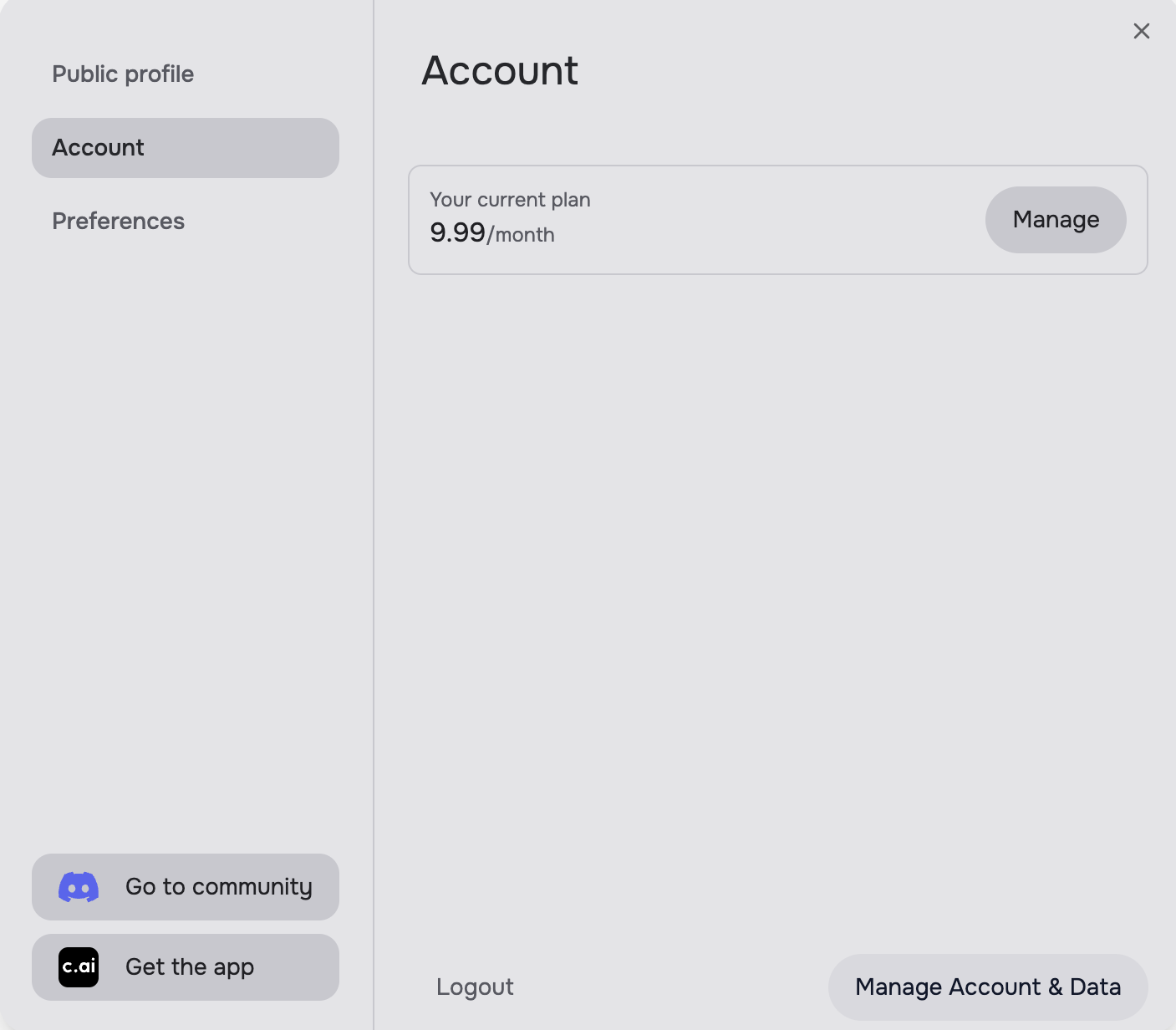
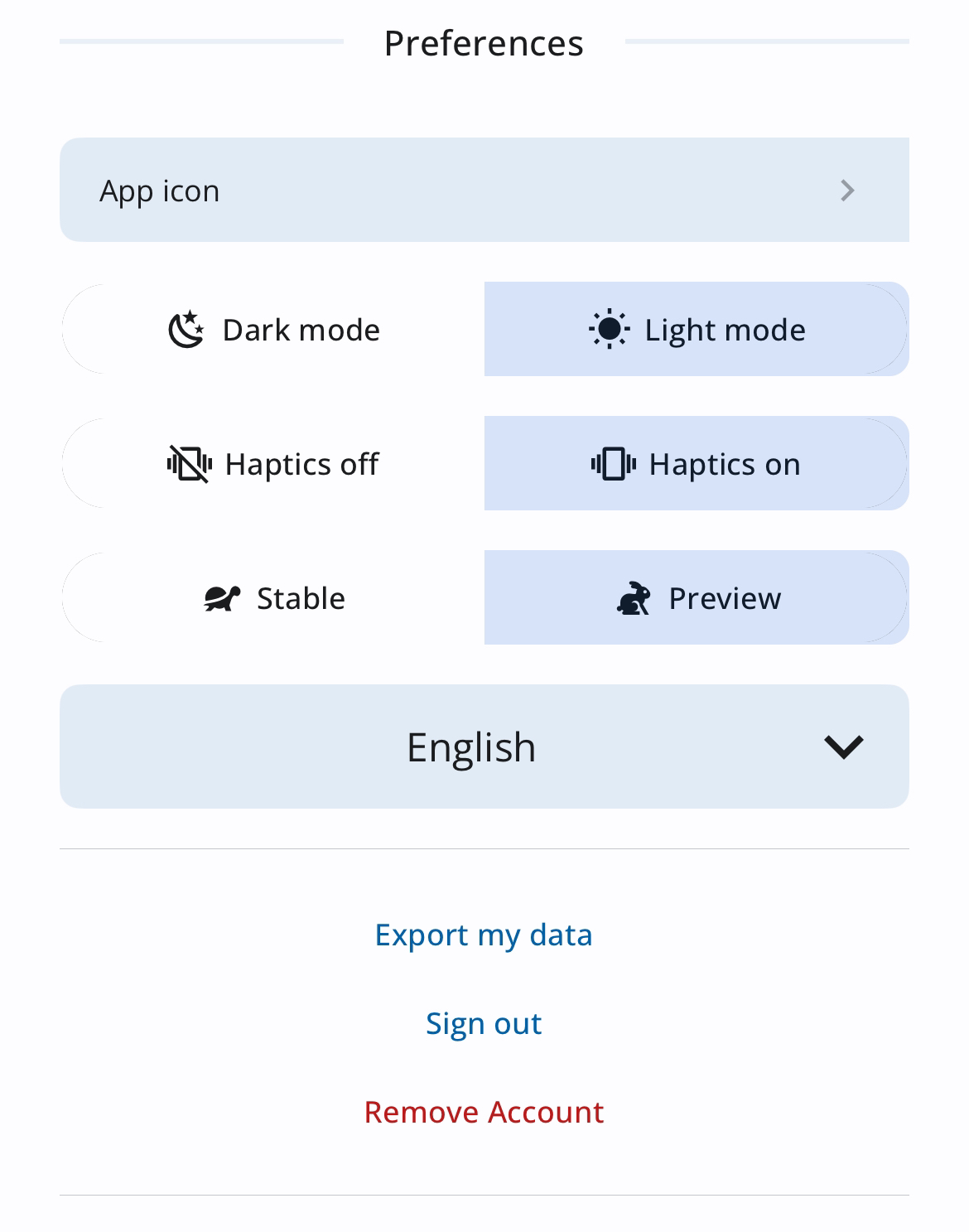
If you would like to export your data, go to your profile settings and follow the steps below for Web and Mobile App.
Web
- Navigate to your Profile.
- Click on Profile Settings.
- Go to Account.
- Open Manage Account & Data.
- Select Export data.

Mobile App
- Open your Profile.
- Look for the settings icon.
- Select Export my data.
What happens after you request an export?
Character.AI typically prepares a downloadable archive of your account data (including chat history) and notifies you when it is ready. Delivery time can vary; check the email linked to your account and any in-app notifications.
Keep the export file private — it may contain personal messages, character chats, and account details.
Why this matters
Exporting is useful if you want a backup before deleting an account, moving conversations elsewhere, or reviewing what Character.AI stores about you. For uncensored chat without platform lock-in, you can also try UncensoredAI or browse our Tools Hub.
Source
Steps and screenshots follow Character.AI's help article: How do I export all my data? How can I export my chats?. Images are hosted on this site for faster loading.
Prefer chat without export gymnastics?
UncensoredAI gives you multi-model chat — Qwen, DeepSeek, GLM, Mistral — with 3 free messages, no sign-up.
Try UncensoredAI →